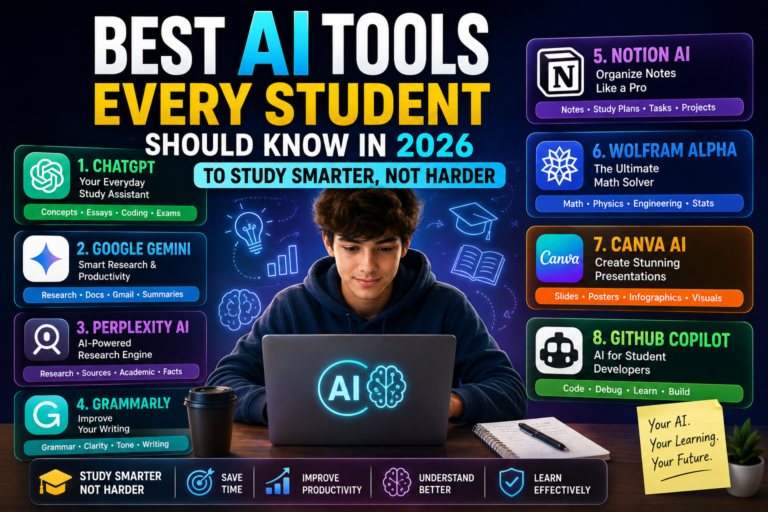
From research and note-taking to coding and presentations, these AI tools can help students save time, improve productivity, and learn more effectively.
Artificial intelligence has become one of the most valuable study companions for students. Whether you’re in high school, college, or pursuing professional certifications, AI-powered tools can simplify research, organize notes, explain difficult concepts, and even help with coding or presentation design.
However, with hundreds of AI applications available today, choosing the right ones can be overwhelming. Some tools specialize in writing, while others focus on mathematics, language learning, or academic research.
The key isn’t to let AI do your homework. Instead, it’s about using AI as a learning assistant that helps you understand concepts faster and work more efficiently.
Here are some of the best AI tools every student should know in 2026.
1. ChatGPT – Your Everyday Study Assistant
ChatGPT remains one of the most versatile AI tools for students.
It can explain complex topics in simple language, summarize lengthy chapters, generate practice questions, help brainstorm essay ideas, and even assist with coding problems.
Instead of simply giving answers, students can ask ChatGPT to explain concepts step by step, making it an excellent learning companion.
Best for:
- Homework assistance
- Concept explanations
- Essay brainstorming
- Coding help
- Exam preparation
2. Google Gemini – Smart Research and Productivity
Google Gemini integrates deeply with Google’s ecosystem, making it especially useful for students already using Google Docs, Drive, Gmail, and Classroom.
Its ability to analyze documents, summarize information, and generate content directly within Google Workspace improves productivity without switching between multiple apps.
Best for:
- Research
- Google Workspace users
- Document summaries
- Email drafting
3. Perplexity AI – AI-Powered Research Engine
Unlike traditional chatbots, Perplexity AI provides answers with cited sources, making it particularly valuable for academic research.
Students can quickly gather reliable information while verifying where it comes from.
This makes it an excellent alternative to browsing dozens of websites manually.
Best for:
- Research projects
- Source verification
- Academic assignments
- Current information
4. Grammarly – Improve Your Writing
Grammarly has evolved beyond simple grammar correction.
Its AI now helps improve sentence clarity, tone, vocabulary, and overall readability.
Whether you’re writing essays, reports, emails, or scholarship applications, Grammarly helps make your writing more professional.
Best for:
- Grammar correction
- Essay editing
- Academic writing
- Professional communication
5. Notion AI – Organize Notes Like a Pro
Managing multiple subjects can quickly become overwhelming.
Notion AI helps students organize lecture notes, create study plans, summarize meeting notes, and generate task lists.
Instead of juggling multiple notebooks and apps, students can keep everything in one organized workspace.
Best for:
- Note-taking
- Study planning
- Productivity
- Project management
6. Wolfram Alpha – The Ultimate Math Solver
When it comes to mathematics, physics, engineering, and advanced calculations, Wolfram Alpha remains one of the strongest AI-powered educational tools.
Rather than simply providing answers, it often shows detailed step-by-step solutions.
This helps students understand how problems are solved instead of memorizing answers.
Best for:
- Mathematics
- Engineering
- Physics
- Statistics
7. Canva AI – Create Stunning Presentations
Presentation design often consumes more time than the research itself.
Canva AI helps students generate presentation slides, posters, infographics, social media graphics, and project visuals within minutes.
Its AI-powered Magic Design feature automatically creates professional layouts from simple prompts.
Best for:
- Class presentations
- Posters
- Visual projects
- Infographics
8. GitHub Copilot – AI for Student Developers
Programming students can significantly improve their workflow with GitHub Copilot.
It suggests code, explains programming concepts, helps debug errors, and speeds up software development.
Rather than replacing learning, Copilot works best as an intelligent coding partner.
Best for:
- Programming
- Software development
- Learning new languages
- Debugging
Quick Comparison
| AI Tool | Best Use | Free Version |
|---|---|---|
| ChatGPT | General learning | ✅ Yes |
| Google Gemini | Research & productivity | ✅ Yes |
| Perplexity AI | Academic research | ✅ Yes |
| Grammarly | Writing improvement | ✅ Yes |
| Notion AI | Notes & organization | Limited |
| Wolfram Alpha | Mathematics | ✅ Yes |
| Canva AI | Presentations | ✅ Yes |
| GitHub Copilot | Coding | Student plans available |
How to Use AI Responsibly as a Student
AI can dramatically improve learning, but it should support your education—not replace it.
Keep these best practices in mind:
- Use AI to understand concepts rather than copy answers.
- Always verify facts with trusted academic sources.
- Avoid submitting AI-generated work without reviewing and editing it.
- Follow your school’s policies on AI usage.
- Treat AI as a tutor, not a shortcut.
Students who combine AI with critical thinking will benefit far more than those who rely on automation alone.
Final Thoughts
AI has transformed the way students learn, research, and stay organized. Whether you’re solving complex math problems, writing essays, preparing presentations, or learning to code, the right AI tools can save time and improve your understanding of difficult topics.
The most successful students in 2026 won’t necessarily be the ones who use the most AI tools—they’ll be the ones who know when and how to use them effectively.
Think of AI as your study partner. It can guide you, explain concepts, and boost your productivity, but your curiosity, creativity, and critical thinking will always remain your greatest academic strengths.